cyberleader
Hero Member
-
Joined
-
Last visited
Everything posted by cyberleader
-
 where all the screenshots are captured my pc.custom built pc AOS 34inch ultrawide screen 3440x1440 resulution.logitech G27 wheel and gear shifter.LED lights connected to monitor,and flash to any audio voice or music,led mouse mats 30396936_newsetupwithleds.mp4
 -
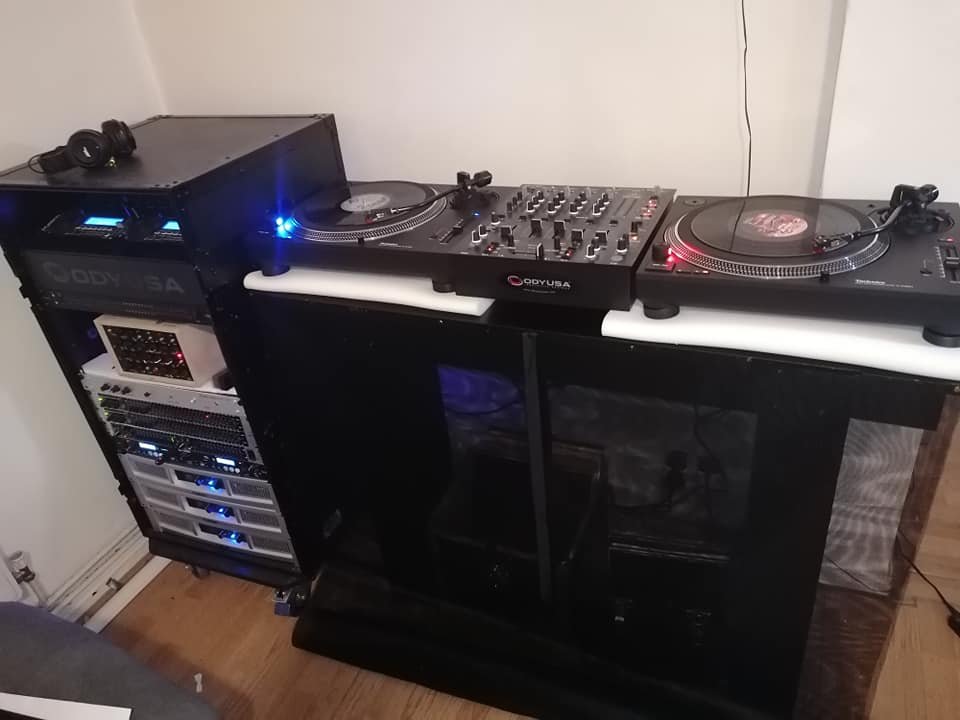
now added second turntable
-
nude cleaning..excellent bandicam 2021-07-28 17-21-07-869.mp4
she got glazed bandicam 2021-07-28 08-39-07-502.mp4
bandicam 2021-07-28 08-33-49-581.mp4
capo.mp4
bandicam 2021-07-24 20-39-22-345.mp4
Account
Navigation
Search
Configure browser push notifications
Chrome (Android)
- Tap the lock icon next to the address bar.
- Tap Permissions → Notifications.
- Adjust your preference.
Chrome (Desktop)
- Click the padlock icon in the address bar.
- Select Site settings.
- Find Notifications and adjust your preference.
Safari (iOS 16.4+)
- Ensure the site is installed via Add to Home Screen.
- Open Settings App → Notifications.
- Find your app name and adjust your preference.
Safari (macOS)
- Go to Safari → Preferences.
- Click the Websites tab.
- Select Notifications in the sidebar.
- Find this website and adjust your preference.
Edge (Android)
- Tap the lock icon next to the address bar.
- Tap Permissions.
- Find Notifications and adjust your preference.
Edge (Desktop)
- Click the padlock icon in the address bar.
- Click Permissions for this site.
- Find Notifications and adjust your preference.
Firefox (Android)
- Go to Settings → Site permissions.
- Tap Notifications.
- Find this site in the list and adjust your preference.
Firefox (Desktop)
- Open Firefox Settings.
- Search for Notifications.
- Find this site in the list and adjust your preference.