Scotsman84
Hero Member
-
Joined
Everything posted by Scotsman84
-
 Can't Get The Staff.. lol
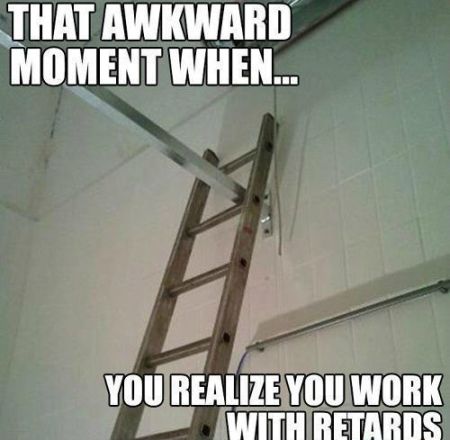 Already payed should be Good Fight. But would Love to see some Mud Wrestling too.. Haha
Can't beat a Good Bitch Fight..
Worse have been Allowed to return. As long as she masturbates every now and then, she can do whatever the fuck she wants.
Shaka Love Your Honesty. Lol
It's Called your Local. LOL
Already payed should be Good Fight. But would Love to see some Mud Wrestling too.. Haha
Can't beat a Good Bitch Fight..
Worse have been Allowed to return. As long as she masturbates every now and then, she can do whatever the fuck she wants.
Shaka Love Your Honesty. Lol
It's Called your Local. LOL LOL
LOL Most Just Guess.. Lol
WTF.
Most Just Guess.. Lol
WTF.
Account
Navigation
Search
Configure browser push notifications
Chrome (Android)
- Tap the lock icon next to the address bar.
- Tap Permissions → Notifications.
- Adjust your preference.
Chrome (Desktop)
- Click the padlock icon in the address bar.
- Select Site settings.
- Find Notifications and adjust your preference.
Safari (iOS 16.4+)
- Ensure the site is installed via Add to Home Screen.
- Open Settings App → Notifications.
- Find your app name and adjust your preference.
Safari (macOS)
- Go to Safari → Preferences.
- Click the Websites tab.
- Select Notifications in the sidebar.
- Find this website and adjust your preference.
Edge (Android)
- Tap the lock icon next to the address bar.
- Tap Permissions.
- Find Notifications and adjust your preference.
Edge (Desktop)
- Click the padlock icon in the address bar.
- Click Permissions for this site.
- Find Notifications and adjust your preference.
Firefox (Android)
- Go to Settings → Site permissions.
- Tap Notifications.
- Find this site in the list and adjust your preference.
Firefox (Desktop)
- Open Firefox Settings.
- Search for Notifications.
- Find this site in the list and adjust your preference.