Scotsman84
Hero Member
-
Joined
Everything posted by Scotsman84
-
 Aye, Extra protection just in case. Not many will fuck with her. LOL
Pished on in the bath. She's a keeper. LOL
Aye, Extra protection just in case. Not many will fuck with her. LOL
Pished on in the bath. She's a keeper. LOL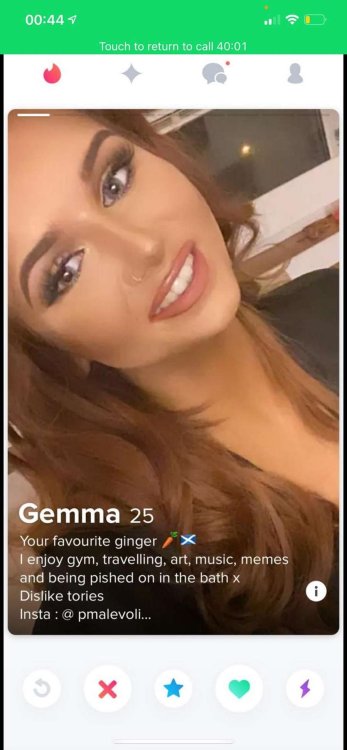 Not bad. Wait and see what she has to offer.
You mean Agnetha. Lovely in her younger days.
Not bad. Wait and see what she has to offer.
You mean Agnetha. Lovely in her younger days. The top 3 will certainly do. I will happily take them if RLC doesn't want them. LOL
Masturbating undercover. WTF is that all about. LOL
The top 3 will certainly do. I will happily take them if RLC doesn't want them. LOL
Masturbating undercover. WTF is that all about. LOL
Account
Navigation
Search
Configure browser push notifications
Chrome (Android)
- Tap the lock icon next to the address bar.
- Tap Permissions → Notifications.
- Adjust your preference.
Chrome (Desktop)
- Click the padlock icon in the address bar.
- Select Site settings.
- Find Notifications and adjust your preference.
Safari (iOS 16.4+)
- Ensure the site is installed via Add to Home Screen.
- Open Settings App → Notifications.
- Find your app name and adjust your preference.
Safari (macOS)
- Go to Safari → Preferences.
- Click the Websites tab.
- Select Notifications in the sidebar.
- Find this website and adjust your preference.
Edge (Android)
- Tap the lock icon next to the address bar.
- Tap Permissions.
- Find Notifications and adjust your preference.
Edge (Desktop)
- Click the padlock icon in the address bar.
- Click Permissions for this site.
- Find Notifications and adjust your preference.
Firefox (Android)
- Go to Settings → Site permissions.
- Tap Notifications.
- Find this site in the list and adjust your preference.
Firefox (Desktop)
- Open Firefox Settings.
- Search for Notifications.
- Find this site in the list and adjust your preference.




.jpg.4458747031316dde2096c40f8bbd3fa5.jpg)










.gif.c1d069ff57ca48d5fe612ee96158372b.gif)
.gif.6fedb8fc1fc0e413e2675ecbd01ec146.gif)
.gif.eaa316325736df0df9be787a64867d15.gif)