Scorpio 2.2
Hero Member
-
Joined
Everything posted by Scorpio 2.2
-
 And what a great move. Get their own space and room. 🤣
Still looks better than the manky one in the guest room at "GP". 🤣
And what a great move. Get their own space and room. 🤣
Still looks better than the manky one in the guest room at "GP". 🤣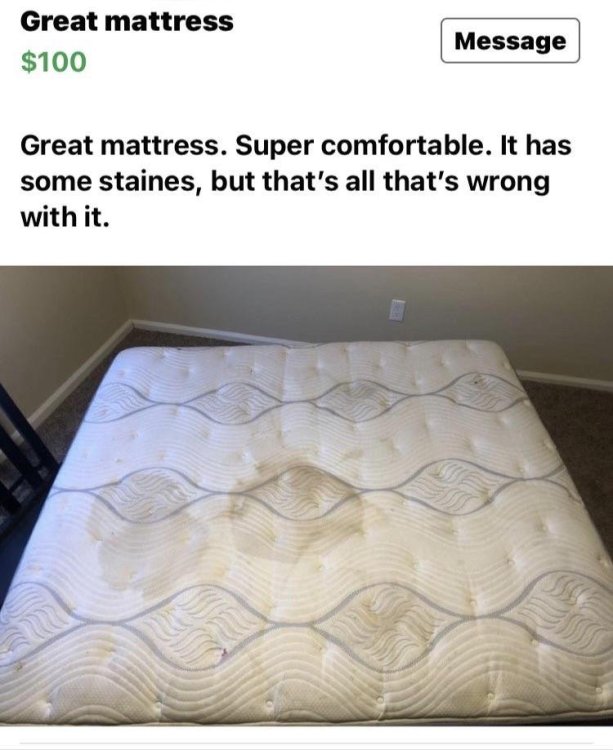 🤣
🤣 Real Smart idea. 🤣
 Harley and Miss.Bossy moved out. Maybe Gina returning to "her" apartment. 🤣
By the looks of it Harley not escaped Miss Bossy just yet. Maybe even having to share a bed. The reason. No-one knows. Just have to see how it goes. Leave the other pointless shit to the "professionals". 😂
If by that you mean "masturbating". Yes. Since she got a toy, been using it well. 😂
No surprise. Having them living together like that was ludicrous. Even so, offered a lot more than many we could mention.
Raditomato the "massage queen" missed out on a massage show. She'll be devastated lol. Definitely looked less sleazy. 🤣
For sure loves herself and going out. Has potential but offers zilch.
Definitely deserves a few ⭐⭐ for over the top, exaggerated performance lol. 🤣
Guaranteed more think YOU are crazy, weird and creepy than me. Not only here but CamCaps as well. Think we should do a poll and see who comes out on top!! 🤣
.
Harley and Miss.Bossy moved out. Maybe Gina returning to "her" apartment. 🤣
By the looks of it Harley not escaped Miss Bossy just yet. Maybe even having to share a bed. The reason. No-one knows. Just have to see how it goes. Leave the other pointless shit to the "professionals". 😂
If by that you mean "masturbating". Yes. Since she got a toy, been using it well. 😂
No surprise. Having them living together like that was ludicrous. Even so, offered a lot more than many we could mention.
Raditomato the "massage queen" missed out on a massage show. She'll be devastated lol. Definitely looked less sleazy. 🤣
For sure loves herself and going out. Has potential but offers zilch.
Definitely deserves a few ⭐⭐ for over the top, exaggerated performance lol. 🤣
Guaranteed more think YOU are crazy, weird and creepy than me. Not only here but CamCaps as well. Think we should do a poll and see who comes out on top!! 🤣
.
Account
Navigation
Search
Configure browser push notifications
Chrome (Android)
- Tap the lock icon next to the address bar.
- Tap Permissions → Notifications.
- Adjust your preference.
Chrome (Desktop)
- Click the padlock icon in the address bar.
- Select Site settings.
- Find Notifications and adjust your preference.
Safari (iOS 16.4+)
- Ensure the site is installed via Add to Home Screen.
- Open Settings App → Notifications.
- Find your app name and adjust your preference.
Safari (macOS)
- Go to Safari → Preferences.
- Click the Websites tab.
- Select Notifications in the sidebar.
- Find this website and adjust your preference.
Edge (Android)
- Tap the lock icon next to the address bar.
- Tap Permissions.
- Find Notifications and adjust your preference.
Edge (Desktop)
- Click the padlock icon in the address bar.
- Click Permissions for this site.
- Find Notifications and adjust your preference.
Firefox (Android)
- Go to Settings → Site permissions.
- Tap Notifications.
- Find this site in the list and adjust your preference.
Firefox (Desktop)
- Open Firefox Settings.
- Search for Notifications.
- Find this site in the list and adjust your preference.



.gif.d9ae20b8787c7256d65a597f854cdca7.gif)