Scorpio 2.2
Hero Member
-
Joined
Everything posted by Scorpio 2.2
-
 Join the club. Don't think many understand what Mira or any other female see in him. Wait for the "he's brought great moments to VHTV screens". 🤣
Really thought hard about this one. 🤣
Very doubtful was anything to do with them. Look what wastes of space they have given apartments to. Not the last we've seen of her either way.
You constantly make these accounts or ones similar for no apparent reason but to be a Dickhead.
Join the club. Don't think many understand what Mira or any other female see in him. Wait for the "he's brought great moments to VHTV screens". 🤣
Really thought hard about this one. 🤣
Very doubtful was anything to do with them. Look what wastes of space they have given apartments to. Not the last we've seen of her either way.
You constantly make these accounts or ones similar for no apparent reason but to be a Dickhead.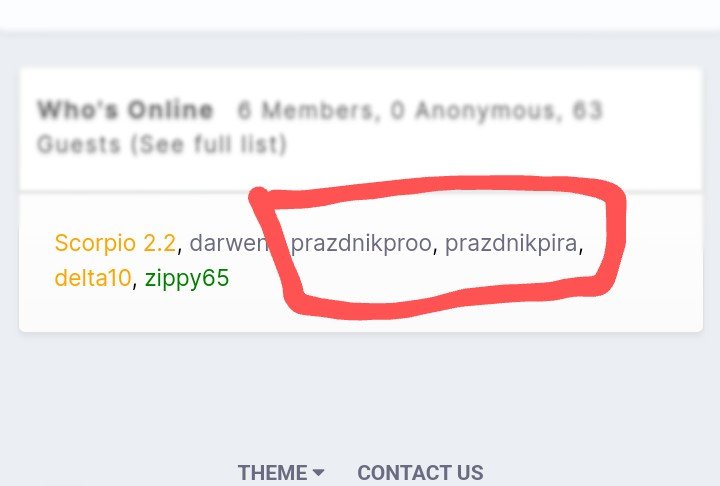 The socialising police will be happy. A reason for someone to go according to some. 🤣 Masturbated regularly. ✔️ Had sex whenever bf visited. ✔️
What's happening with the "apartment" her and bf were supposedly getting? 🤔
And gone. If out for dinner. Hopefully Tereza stays awake long enough or doesn't end up face first in her meal. 🤣
Same "wavelength" lol. What exactly might that be!!? See how long it lasts With Mr. Shittyass. 🤣
True. Like it's going to be any different. Have to be able to stay awake first. 😂
And doing what they do best. zzzzzzzzzzzz. Tereza especially must have the RLC sleeping record. 🤣
The socialising police will be happy. A reason for someone to go according to some. 🤣 Masturbated regularly. ✔️ Had sex whenever bf visited. ✔️
What's happening with the "apartment" her and bf were supposedly getting? 🤔
And gone. If out for dinner. Hopefully Tereza stays awake long enough or doesn't end up face first in her meal. 🤣
Same "wavelength" lol. What exactly might that be!!? See how long it lasts With Mr. Shittyass. 🤣
True. Like it's going to be any different. Have to be able to stay awake first. 😂
And doing what they do best. zzzzzzzzzzzz. Tereza especially must have the RLC sleeping record. 🤣 Hopefully just a vacation. ReturnLifeCam will probably let everyone know in a week or so. 🤣
Supposedly many don't like to "speculate" either lol. 🤣
Hopefully just a vacation. ReturnLifeCam will probably let everyone know in a week or so. 🤣
Supposedly many don't like to "speculate" either lol. 🤣Account
Navigation
Search
Configure browser push notifications
Chrome (Android)
- Tap the lock icon next to the address bar.
- Tap Permissions → Notifications.
- Adjust your preference.
Chrome (Desktop)
- Click the padlock icon in the address bar.
- Select Site settings.
- Find Notifications and adjust your preference.
Safari (iOS 16.4+)
- Ensure the site is installed via Add to Home Screen.
- Open Settings App → Notifications.
- Find your app name and adjust your preference.
Safari (macOS)
- Go to Safari → Preferences.
- Click the Websites tab.
- Select Notifications in the sidebar.
- Find this website and adjust your preference.
Edge (Android)
- Tap the lock icon next to the address bar.
- Tap Permissions.
- Find Notifications and adjust your preference.
Edge (Desktop)
- Click the padlock icon in the address bar.
- Click Permissions for this site.
- Find Notifications and adjust your preference.
Firefox (Android)
- Go to Settings → Site permissions.
- Tap Notifications.
- Find this site in the list and adjust your preference.
Firefox (Desktop)
- Open Firefox Settings.
- Search for Notifications.
- Find this site in the list and adjust your preference.