.jpg.f24f0c11636c3e83272b2a7b4e5746cb.jpg)

CowArt
Hero Member
-
Joined
-
Last visited
-
-
-
-
-
-
-
-
-
-
 CowArt changed their profile photo
 -
Very old (the video, not the girl):
-
No, but nobody else will either, so RLC will do something before it comes to that. In fact, they already are. As long as you're not logged in, the free cameras no longer require flash. Once you log in, then you need flash to view the streams, including the free cameras. It's been like that for two, maybe three weeks, so it looks like RLC is starting it's testing to move away from flash all together. Replay by the way never required flash.
RLC started applying the ban hammer to uploaders back in the Spring of 2016 as some of us found out the hard way. Since then rarely any RLC pictures or videos have been posted. You are right about the negativity in the Fan Pages though. Usually @mikeusa starts the new page, in the past he would post "keep things positive" or something along those lines, but he has given up on that a while ago. There's a Frustration / Anger Board that was intended to be catch-all for the negativity and complaints, but now the entire board (at least the RLC section) is filled with it. It's not a nice place to be or read anymore. If I want some reading material that depresses me, I'll go out and buy a newspaper instead.
Welcome back @Rob1. 👍 Good luck with your task. I remember the days there were three or four different Robs on the chat simultaneously instead of three or four different users... I must be getting old.
29-04-2019: Lia & Mia left the project after 90 days, and new girl Kris joined. With the departure of the Twins, for me, after three years and four months, give or take a day, the time has come to retire from RLC and RLCF. This also means that as of today, the tenants-lists will no longer be updated. If anyone wants to take over, feel free to copy the lists to a new topic and carry on.
27-04-2019: Kylie & Rus left the project, after 76 days.
27-04-2019: Ginger left the project, Pam moved from B4 to B1.
25-04-2019: Amy left the project after 23 days, and new girl Kiki took her place.
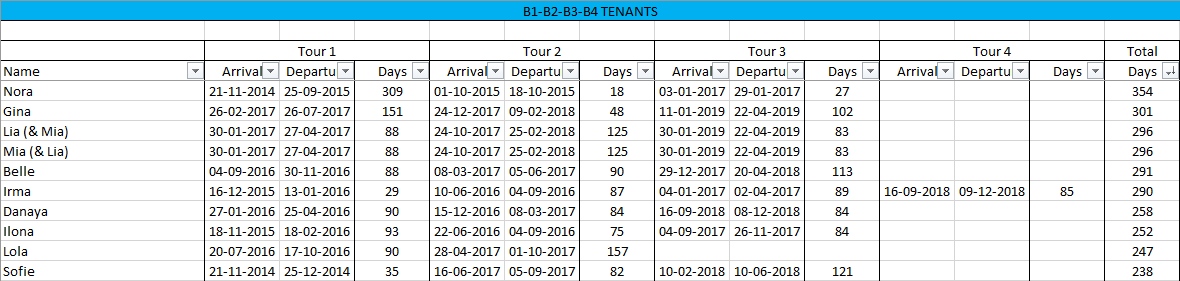
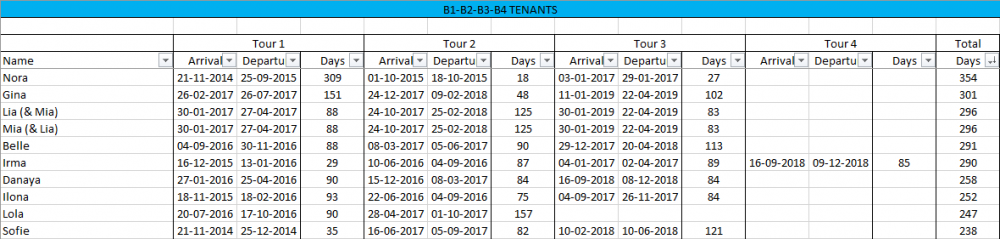
Congratulations Gina, on joining the 300+ club. Well... club... it's just Nora and Gina for now, but Lia & Mia are getting close as well.
 Yes, this is her first time.
18-04-2019: Angelina left after 60 days, and Amalia joined the project.
02-04-2019: Jaya left the project, after 37 days. 03-04-2019: Amy rejoined the project. Amy's previous stay was in B2 from August 2nd (when B2 first opened) until August 17th 2017 (16 days). Her housemates at the time were Lola and Megan.
01-04-2019: Serafima left the project, after 125 days in total (9 days in B4, 112 days in B1 as a tenant and four more days as a "guest" in Ginger's room).
Yes, this is her first time.
18-04-2019: Angelina left after 60 days, and Amalia joined the project.
02-04-2019: Jaya left the project, after 37 days. 03-04-2019: Amy rejoined the project. Amy's previous stay was in B2 from August 2nd (when B2 first opened) until August 17th 2017 (16 days). Her housemates at the time were Lola and Megan.
01-04-2019: Serafima left the project, after 125 days in total (9 days in B4, 112 days in B1 as a tenant and four more days as a "guest" in Ginger's room).